
Campaigns
Campaigns
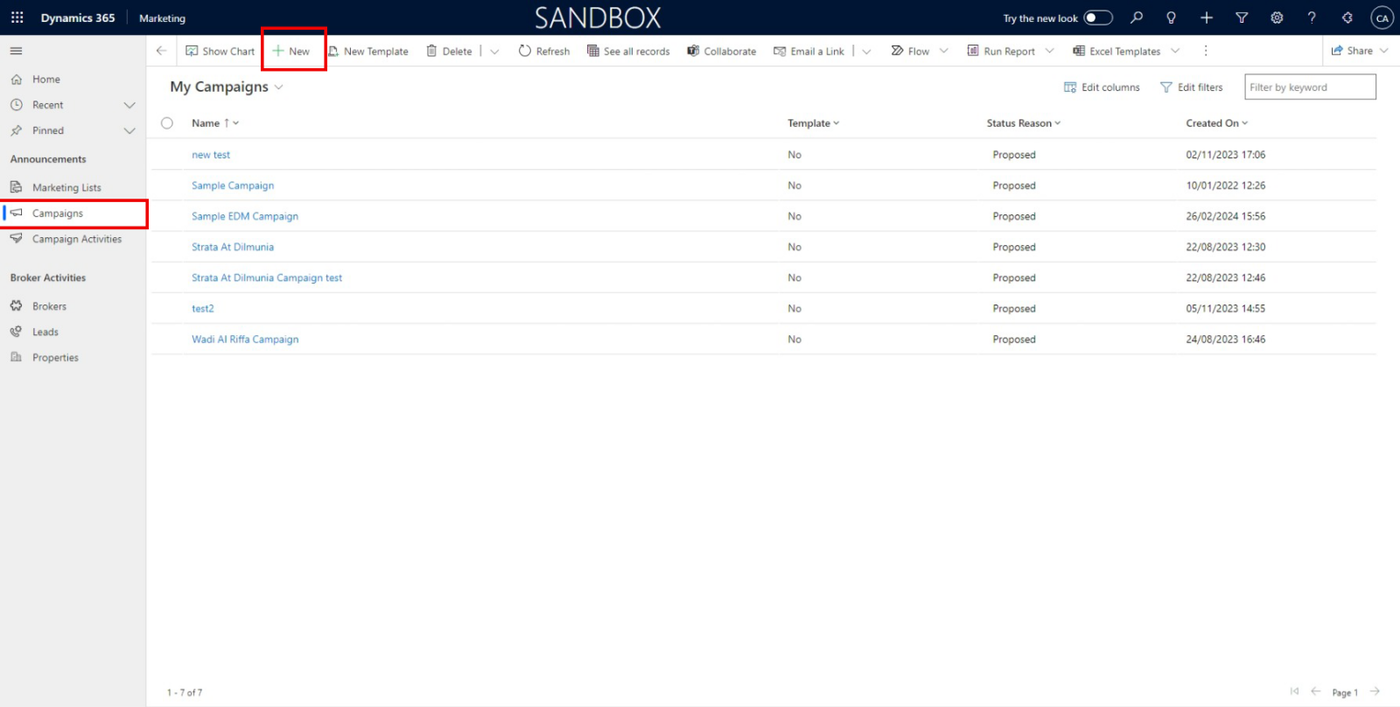
In the campaign, you can see all the campaigns that have been created.
To create a new campaign, click on the 'New' button as shown in the figure.
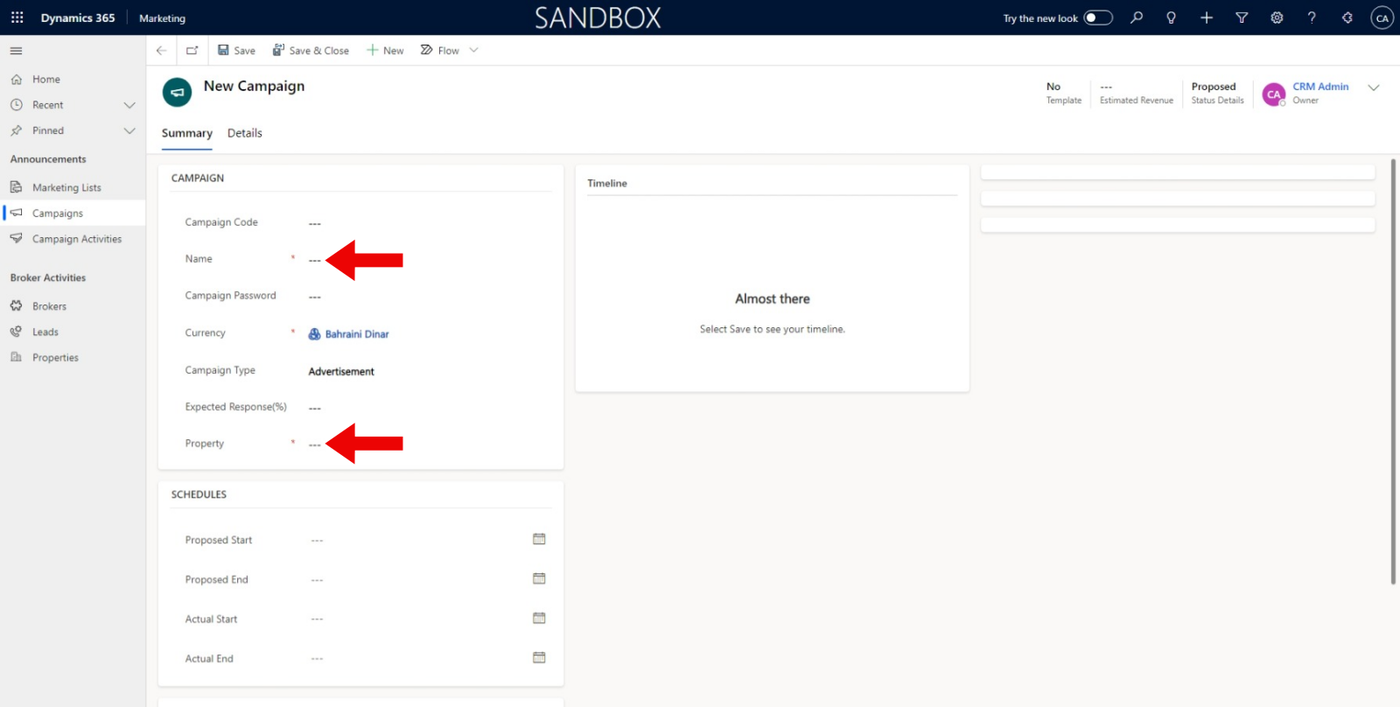
When opening the new campaign form, we need to fill in data like Campaign Name and select Property as shown below.
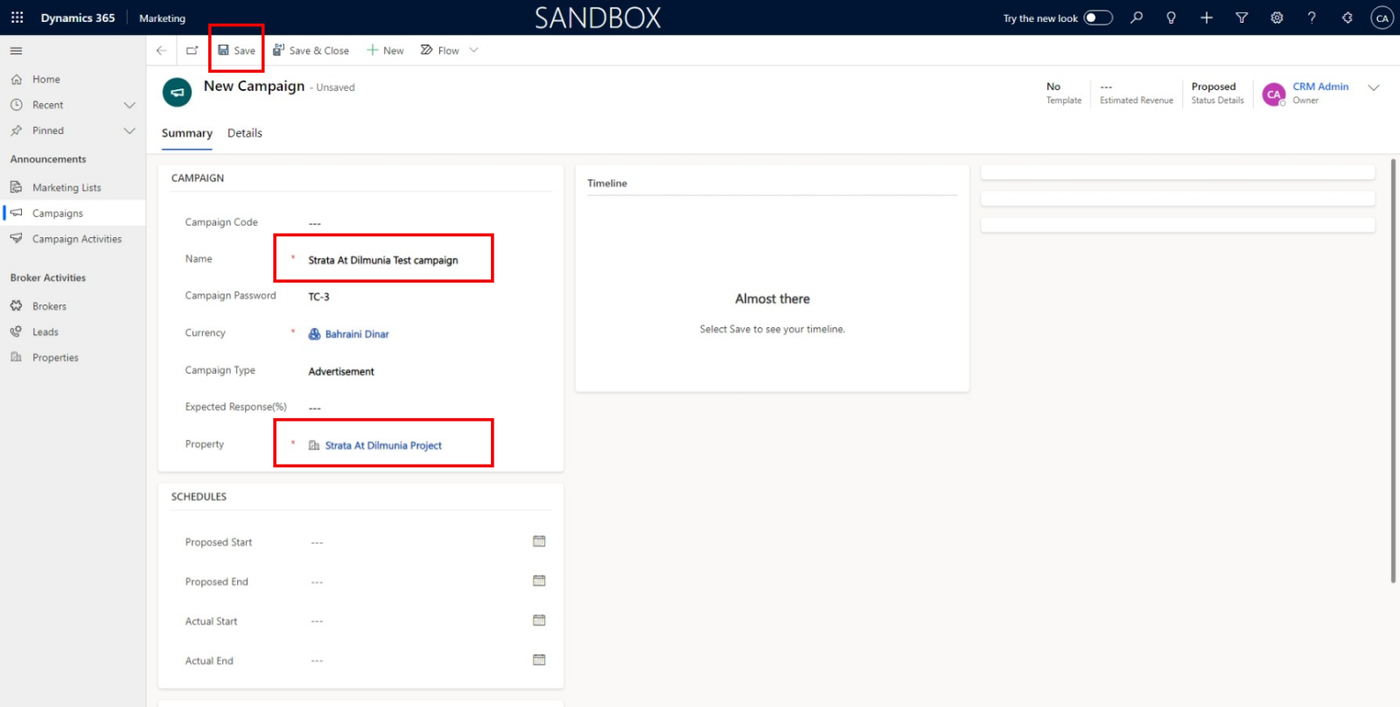
After filling data in the form like this, you can click on the 'Save' button as shown below.
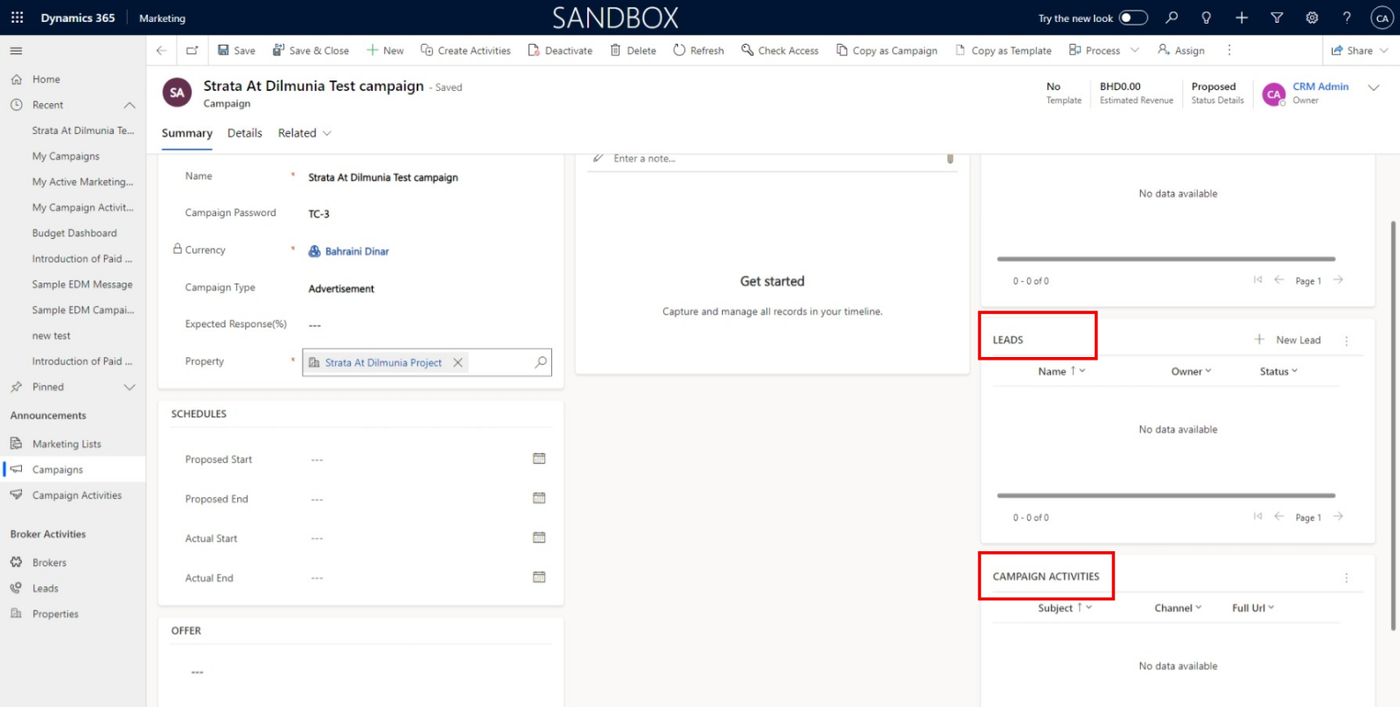
After saving the campaign form, Leads and campaign activities will be displayed.