
Campaign Activities
Campaign Activities
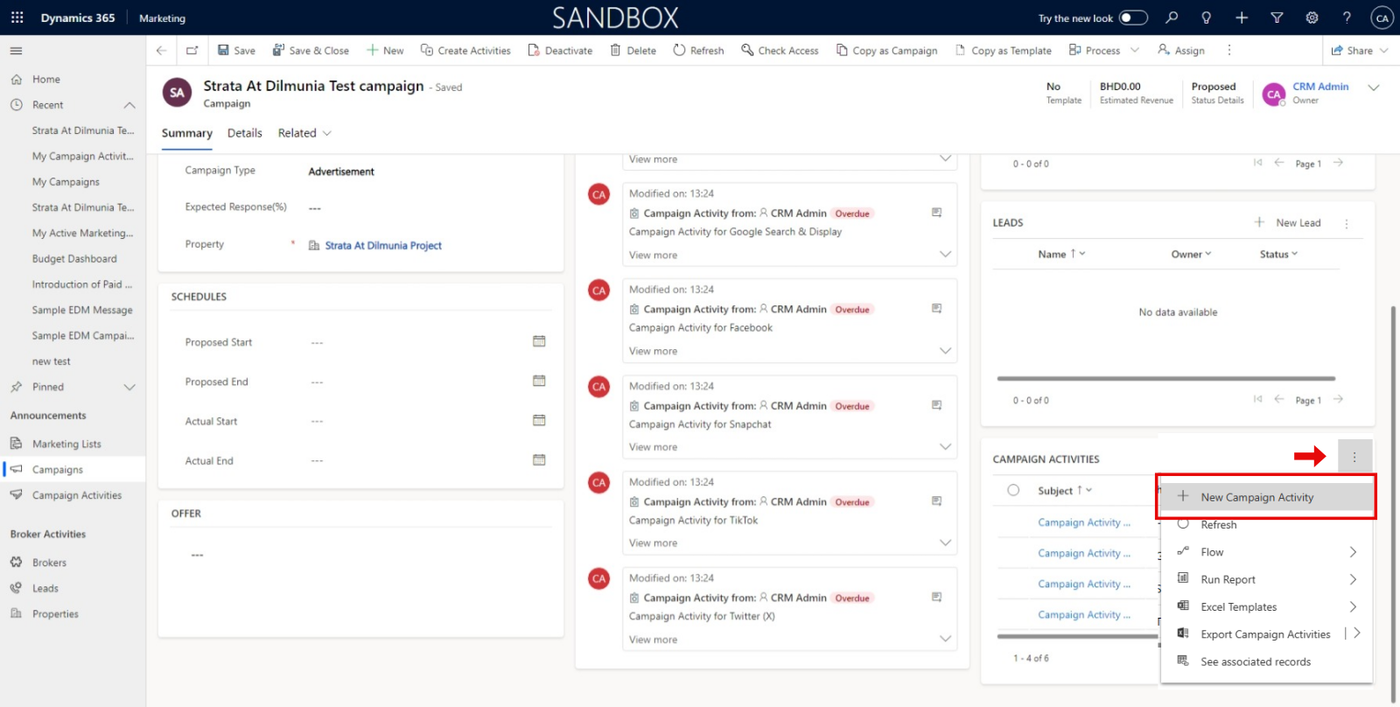
In the Campaign, we can create a new Campaign Activity by clicking on the button as shown below.
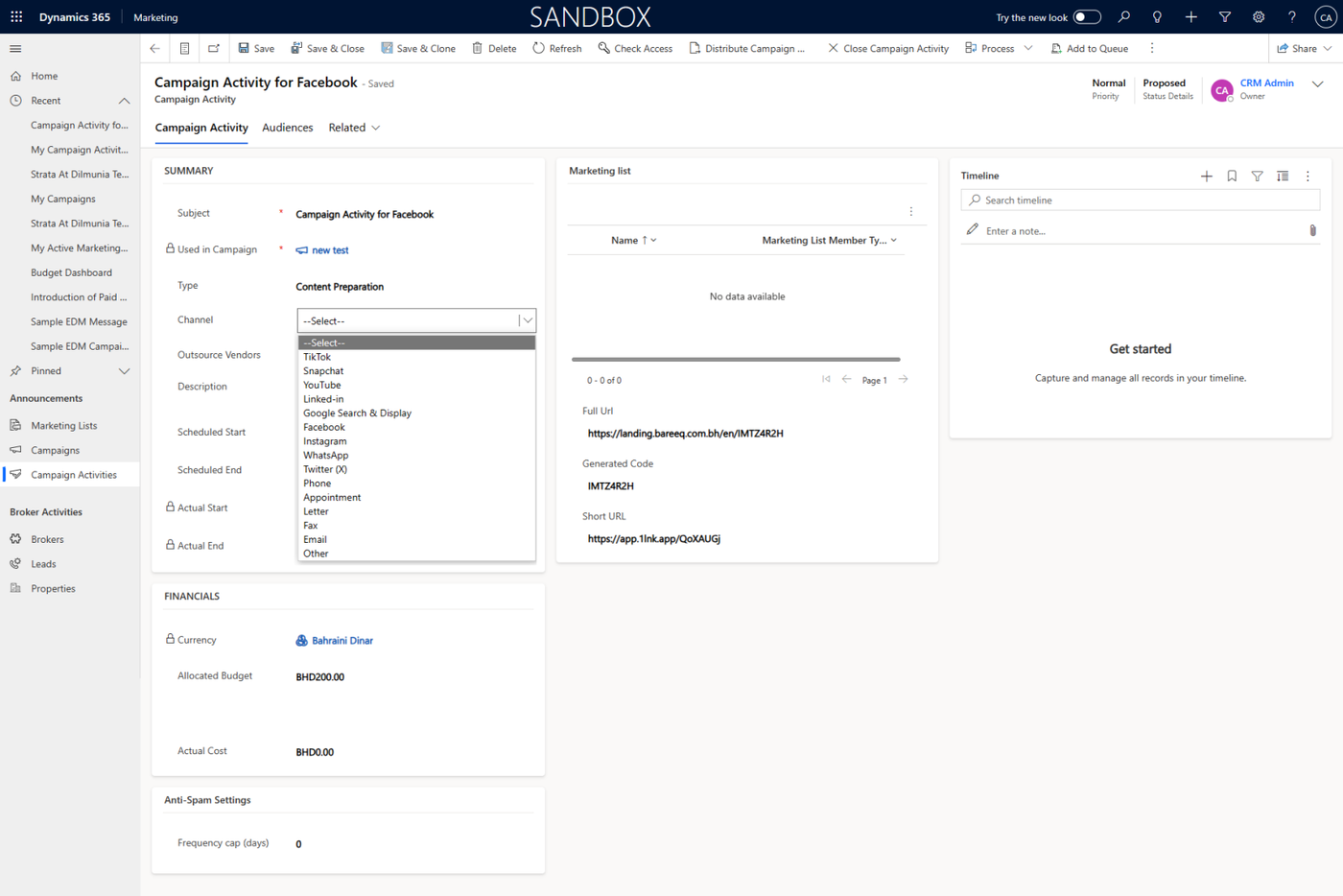
Now you can fill the campaign activity form with data like subject, channel, and other information.
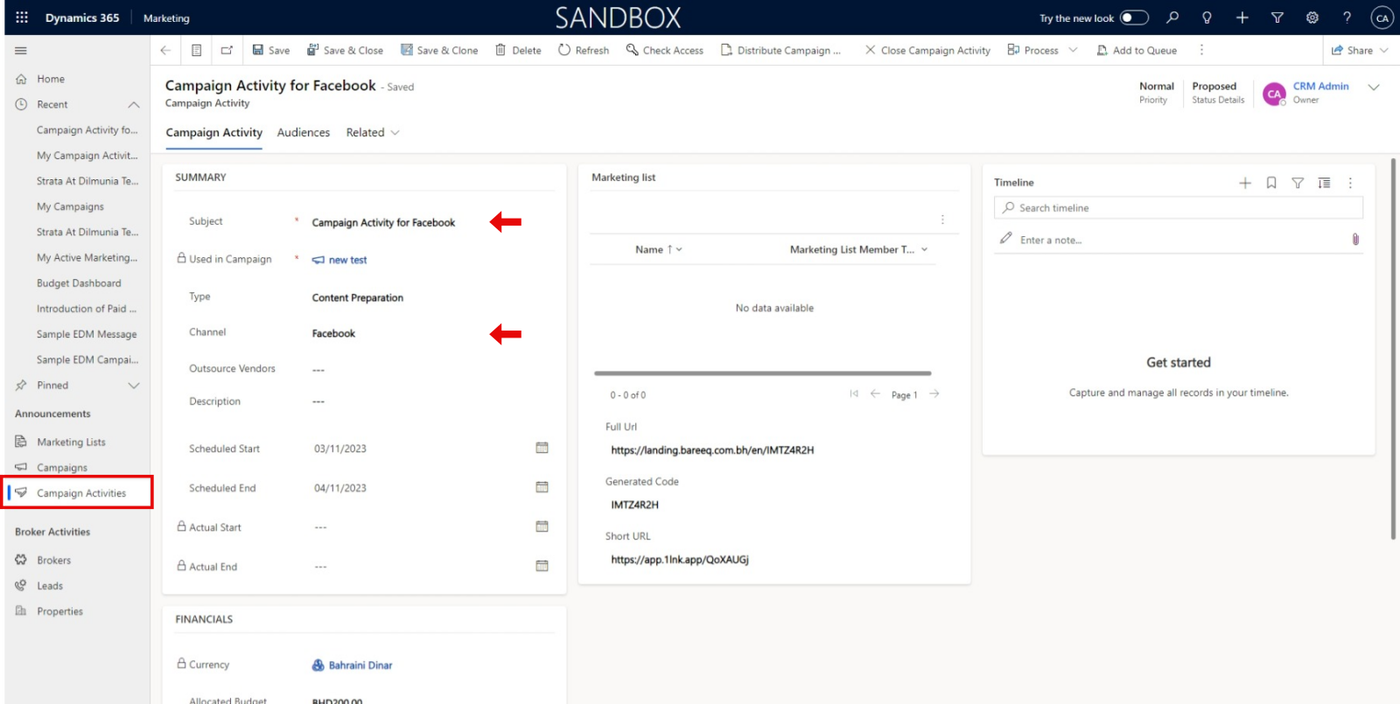
You can choose the channel that refers to the campaign activity you need to share, as shown below.
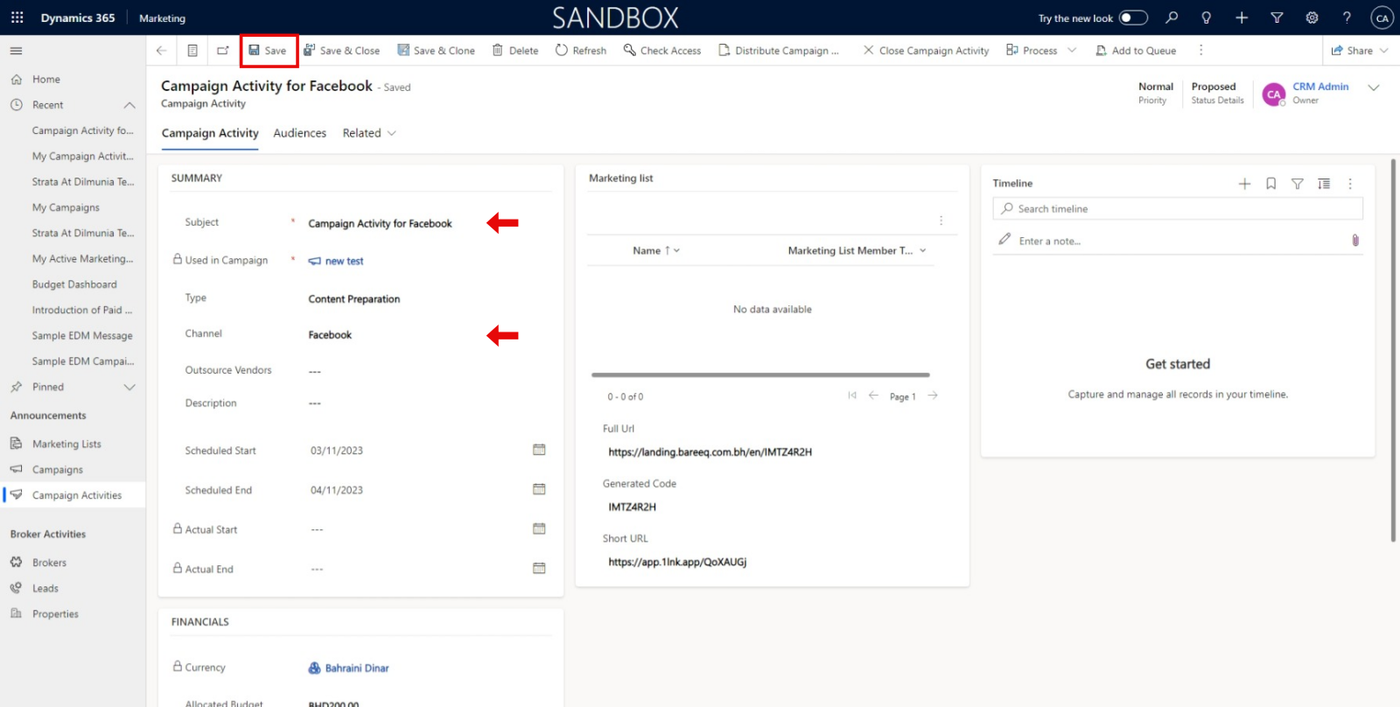
After filling data in the form, you can click on the 'Save' button as shown below to view the generated URLs for the campaign activity.
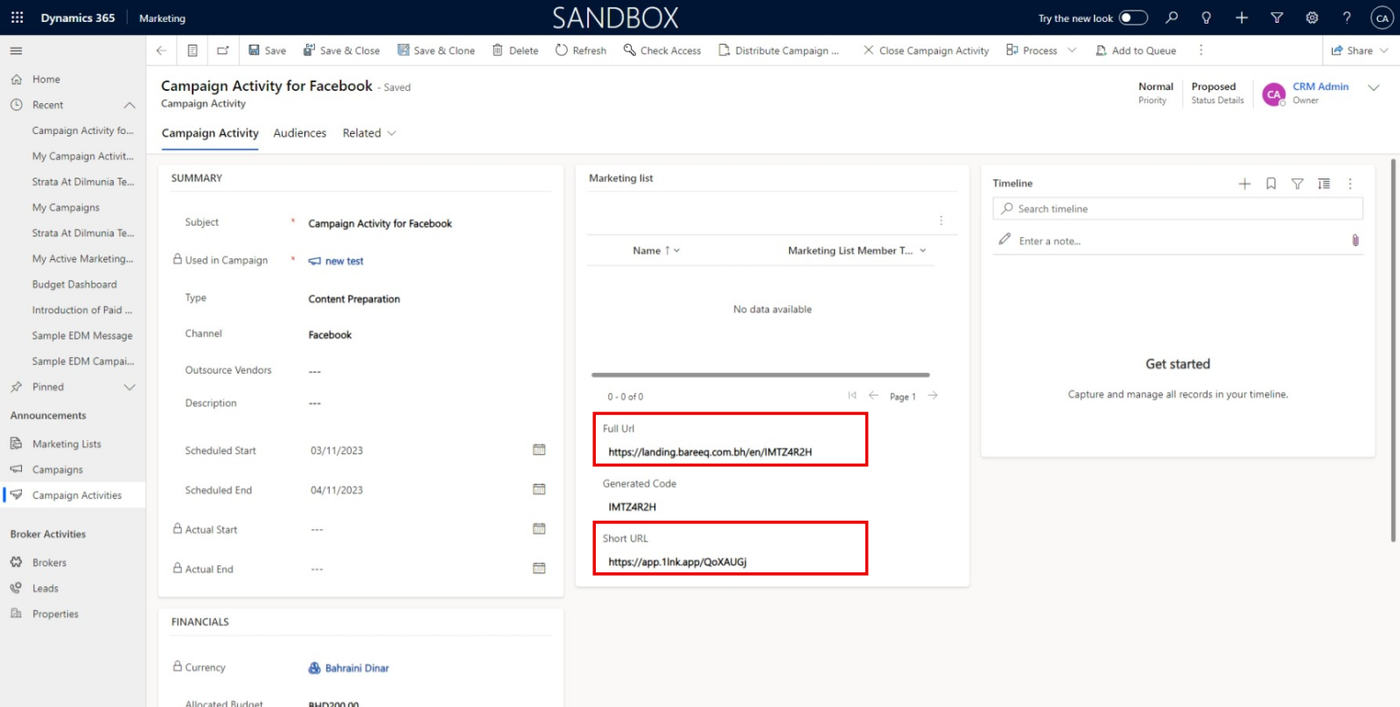
A full URL is the link to the landing page with the campaign activity code for a specific property, and a short URL is the same full URL but shorter (in case you need to share a shorter URL).
(share with the social media agency to run campaigns )
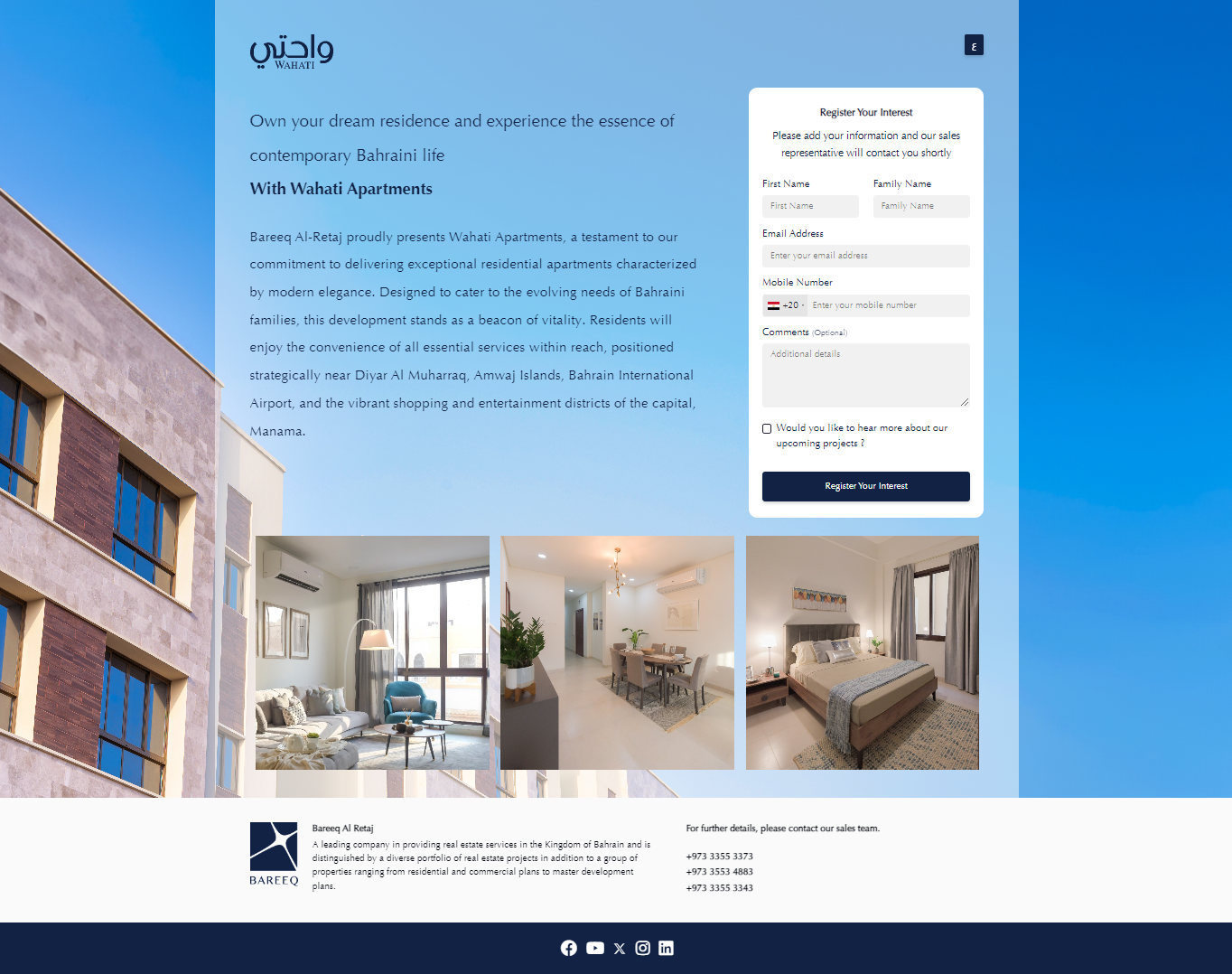
If you copy the full URL or short URL and browse it, you can navigate to the landing page.

The landing page that Lead can show property details and submit data.
If you click on Save & Clone, you will create a clone of the current campaign activity along with all its details. This way, you can make changes to the cloned activity, saving you time.
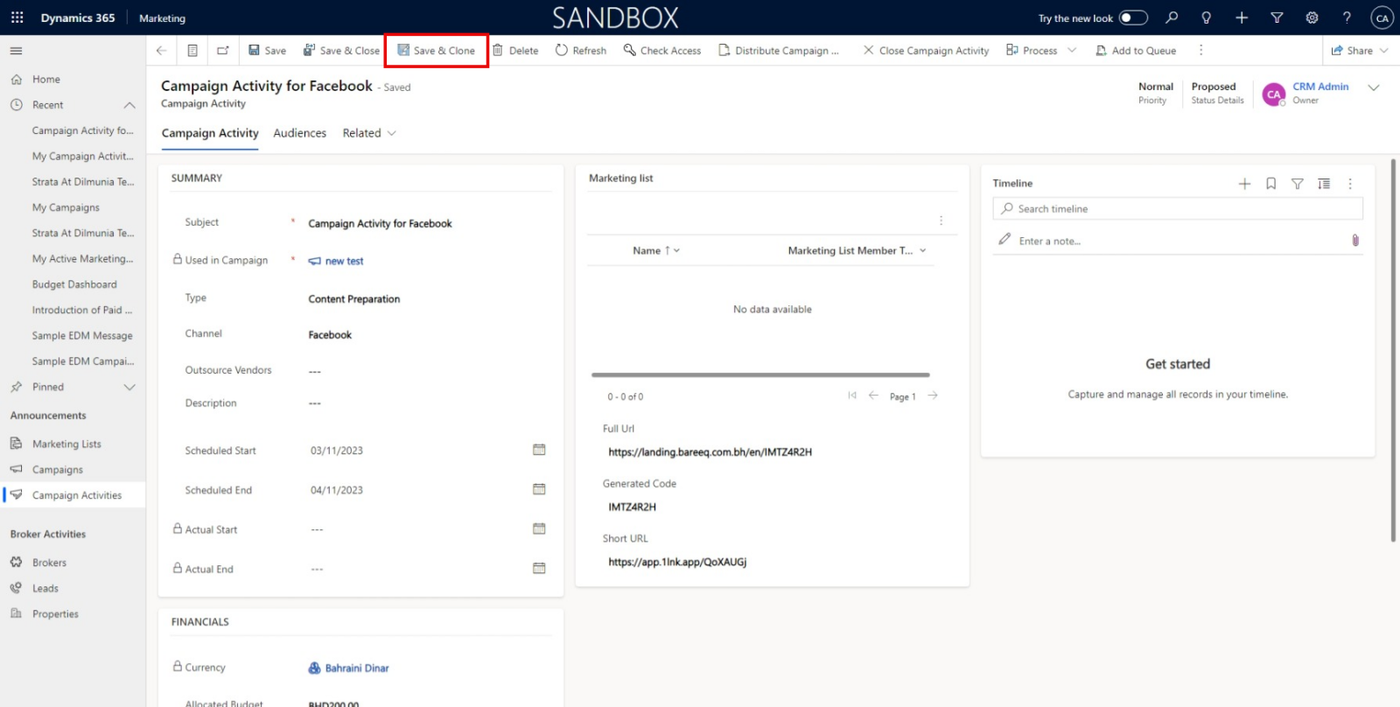
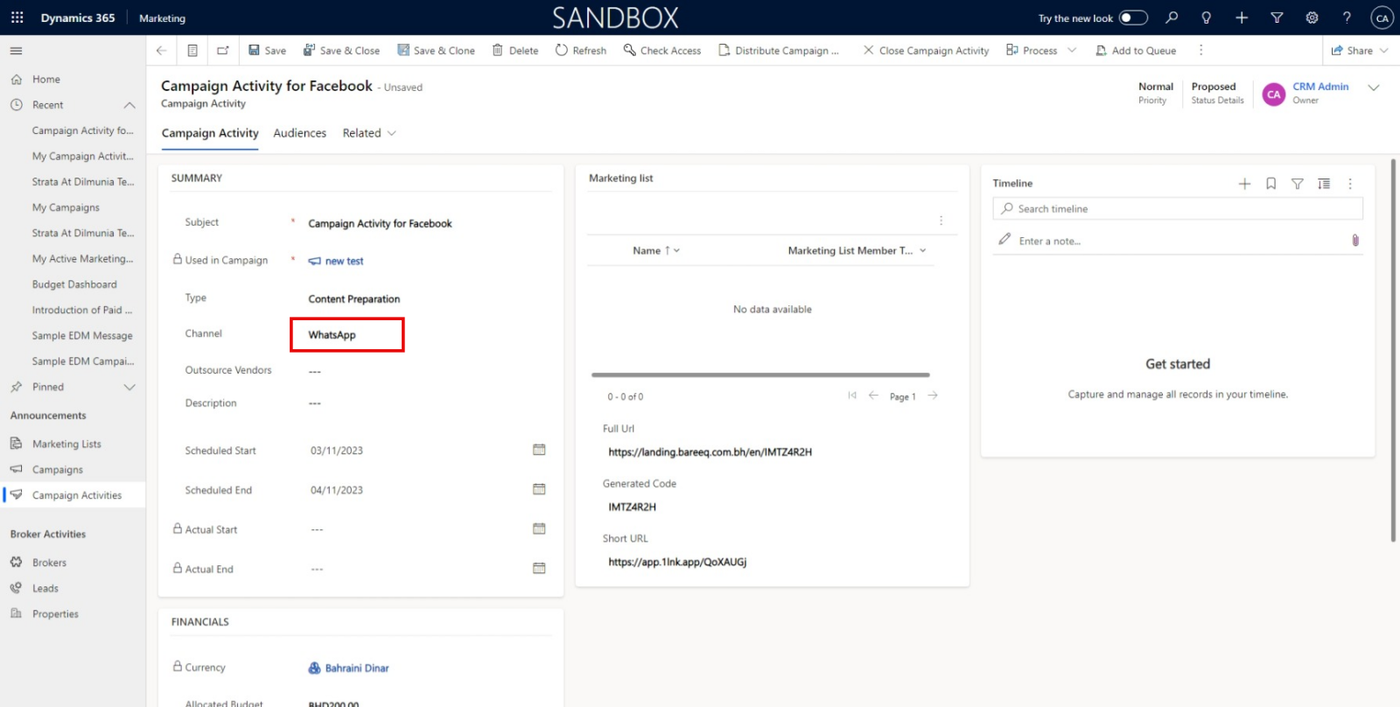
As you show you can change channel to WhatsApp